> ## Documentation Index
> Fetch the complete documentation index at: https://comfyart.org/llms.txt
> Use this file to discover all available pages before exploring further.
# ComfyArt
> A free, open-source AI design canvas that runs fully on your own ComfyUI. No account, no credits, no cloud.
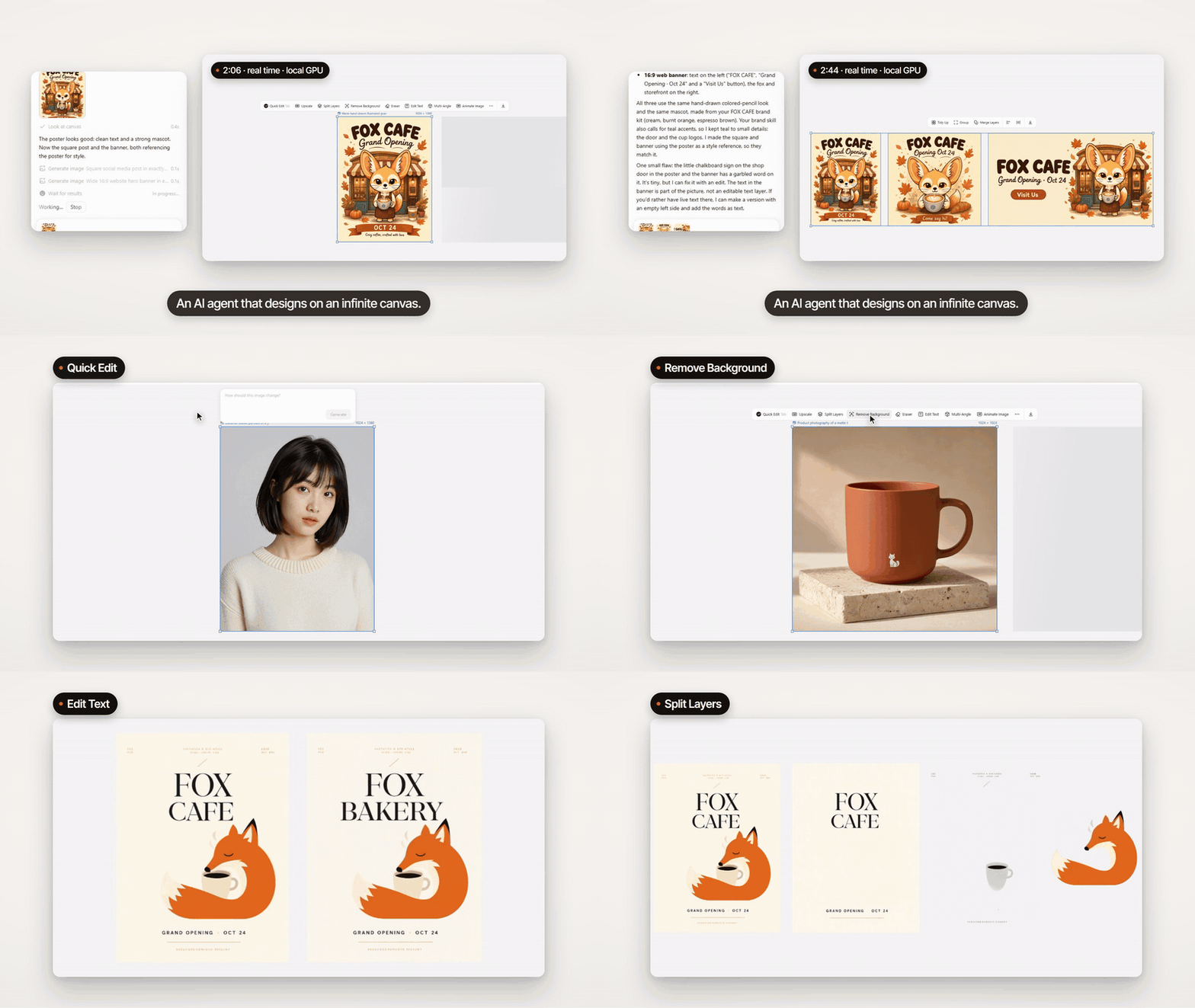
ComfyArt is an **AI design canvas** that runs entirely on your own ComfyUI: an infinite canvas for posters, social images, slides and short videos, a design agent that works on that canvas with real tools, and every image and video model running on your own GPU.
 Install ComfyArt into ComfyUI, open the canvas and make your first image.
Which model files each feature needs, and where to put them.
## Explore
Pages, frames, layers, text and shapes, comments, history and export to PNG, PDF and PPTX.
Image and video generators with references, color palettes, base images and storyboards.
Quick edit, upscale, split layers, remove background, eraser, edit text, multi-angle, inpaint and more.
Animate an image, generate and extend clips, trim and edit, upscale to 4K.
My Assets, brand kits, characters, products and the reference board.
Chat with a design agent (Claude Code, Codex, Qwen Code, DeepSeek Harness or a local LLM) that works on your canvas.
## Why ComfyArt
Every model runs in your ComfyUI. Nothing is uploaded, and ComfyArt never stores credentials.
Each canvas action is a plain ComfyUI API workflow in `workflows/`, built from core nodes wherever possible.
An MCP server lets the built-in agent, or any local MCP client, look at the canvas and edit it.
This documentation is built and hosted on [Mintlify](https://mintlify.com), a developer documentation platform.
Install ComfyArt into ComfyUI, open the canvas and make your first image.
Which model files each feature needs, and where to put them.
## Explore
Pages, frames, layers, text and shapes, comments, history and export to PNG, PDF and PPTX.
Image and video generators with references, color palettes, base images and storyboards.
Quick edit, upscale, split layers, remove background, eraser, edit text, multi-angle, inpaint and more.
Animate an image, generate and extend clips, trim and edit, upscale to 4K.
My Assets, brand kits, characters, products and the reference board.
Chat with a design agent (Claude Code, Codex, Qwen Code, DeepSeek Harness or a local LLM) that works on your canvas.
## Why ComfyArt
Every model runs in your ComfyUI. Nothing is uploaded, and ComfyArt never stores credentials.
Each canvas action is a plain ComfyUI API workflow in `workflows/`, built from core nodes wherever possible.
An MCP server lets the built-in agent, or any local MCP client, look at the canvas and edit it.
This documentation is built and hosted on [Mintlify](https://mintlify.com), a developer documentation platform.