> ## Documentation Index
> Fetch the complete documentation index at: https://comfyart.org/llms.txt
> Use this file to discover all available pages before exploring further.
# Home and projects
> Start a design from the home page, manage projects and change language, theme and layout.
## Home
Open [http://127.0.0.1:8188/comfyart/](http://127.0.0.1:8188/comfyart/) to land on the home page.
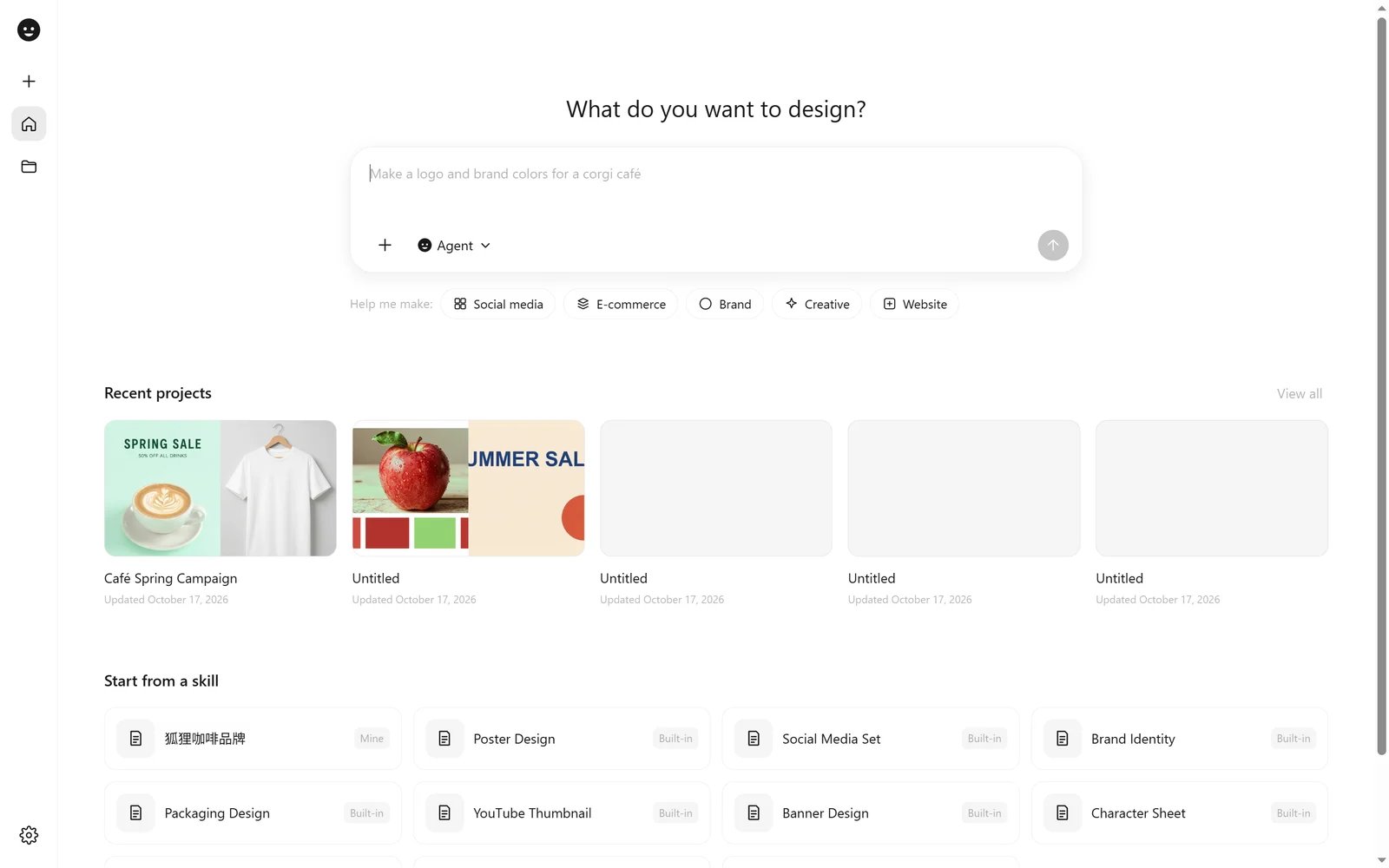 * **What do you want to design?** Type a request and send it. ComfyArt creates a project and hands the request to the [Agent](/guides/agent). Attach images with **+**, or switch the mode to Image or Video to generate straight away.
* **Help me make:** quick starts (Social media, E-commerce, Brand, Creative, Website) fill in the first half of a prompt for you.
* **Recent projects** shows your latest canvases; **View all** opens the project library.
* **Start from a skill** lists the built-in skills and your own (marked *Mine*). Picking one opens a new project with that skill attached.
The rail on the left has **New Project**, **Home**, **Projects** and the settings menu.
## Projects
* **What do you want to design?** Type a request and send it. ComfyArt creates a project and hands the request to the [Agent](/guides/agent). Attach images with **+**, or switch the mode to Image or Video to generate straight away.
* **Help me make:** quick starts (Social media, E-commerce, Brand, Creative, Website) fill in the first half of a prompt for you.
* **Recent projects** shows your latest canvases; **View all** opens the project library.
* **Start from a skill** lists the built-in skills and your own (marked *Mine*). Picking one opens a new project with that skill attached.
The rail on the left has **New Project**, **Home**, **Projects** and the settings menu.
## Projects
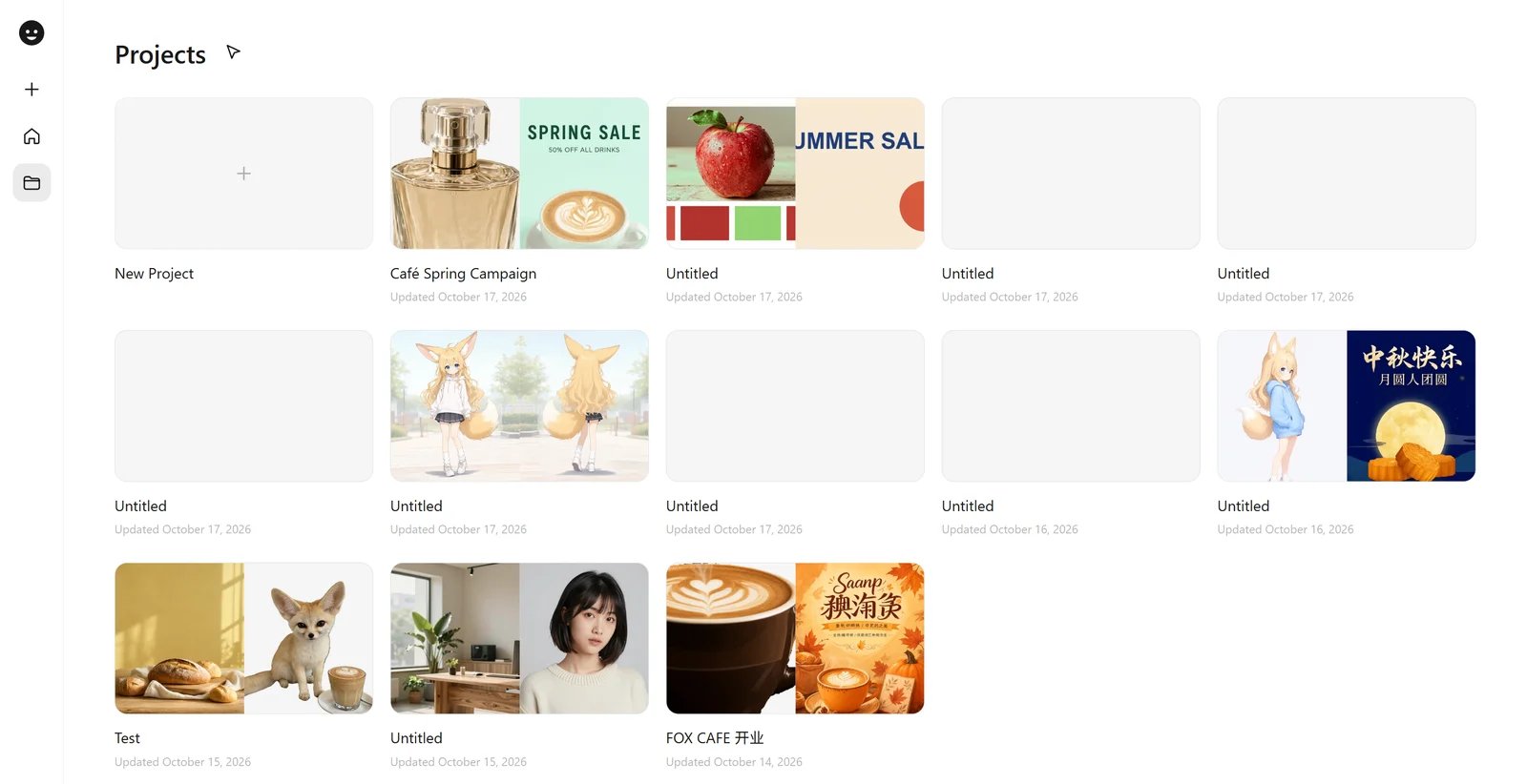 The project library shows every project with a preview of its canvas. Rename or delete a project from its card menu, or use **Select** to pick several (or **Select all**) and delete them together. Deleting a project removes its canvas, chats and saved versions; generated images and videos stay in ComfyUI's output folder.
Each project is a URL, `/comfyart/?project=`, and is saved in the ComfyUI user directory under `comfyart/projects/`.
## Inside a project
Click the logo at the top left of a project for the project menu.
The project library shows every project with a preview of its canvas. Rename or delete a project from its card menu, or use **Select** to pick several (or **Select all**) and delete them together. Deleting a project removes its canvas, chats and saved versions; generated images and videos stay in ComfyUI's output folder.
Each project is a URL, `/comfyart/?project=`, and is saved in the ComfyUI user directory under `comfyart/projects/`.
## Inside a project
Click the logo at the top left of a project for the project menu.
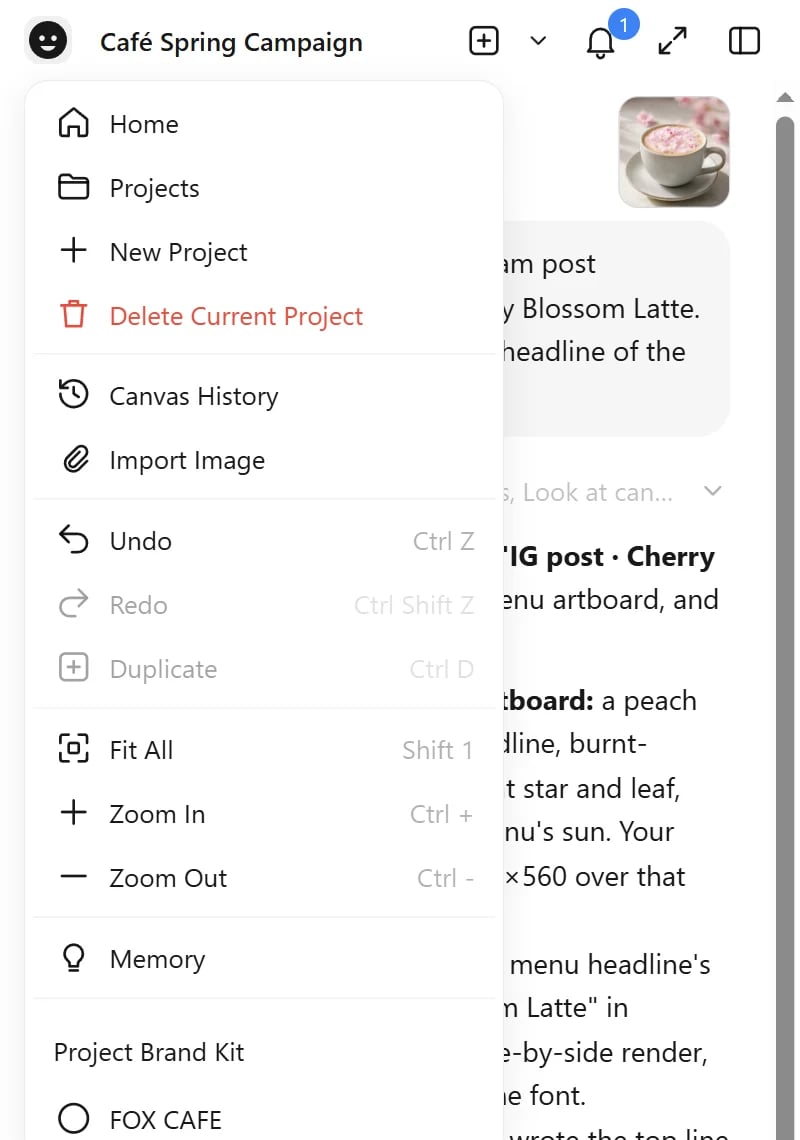 It jumps back to Home or Projects, creates or deletes projects, opens **Canvas History** (restore a snapshot), imports an image, holds the undo, duplicate and zoom commands, opens the Agent's **Memory**, and links the project to a **Project Brand Kit**. The Agent receives the linked kit with every message.
## Settings
The gear button (top right in a project, bottom left on Home) opens the settings menu.
It jumps back to Home or Projects, creates or deletes projects, opens **Canvas History** (restore a snapshot), imports an image, holds the undo, duplicate and zoom commands, opens the Agent's **Memory**, and links the project to a **Project Brand Kit**. The Agent receives the linked kit with every message.
## Settings
The gear button (top right in a project, bottom left on Home) opens the settings menu.
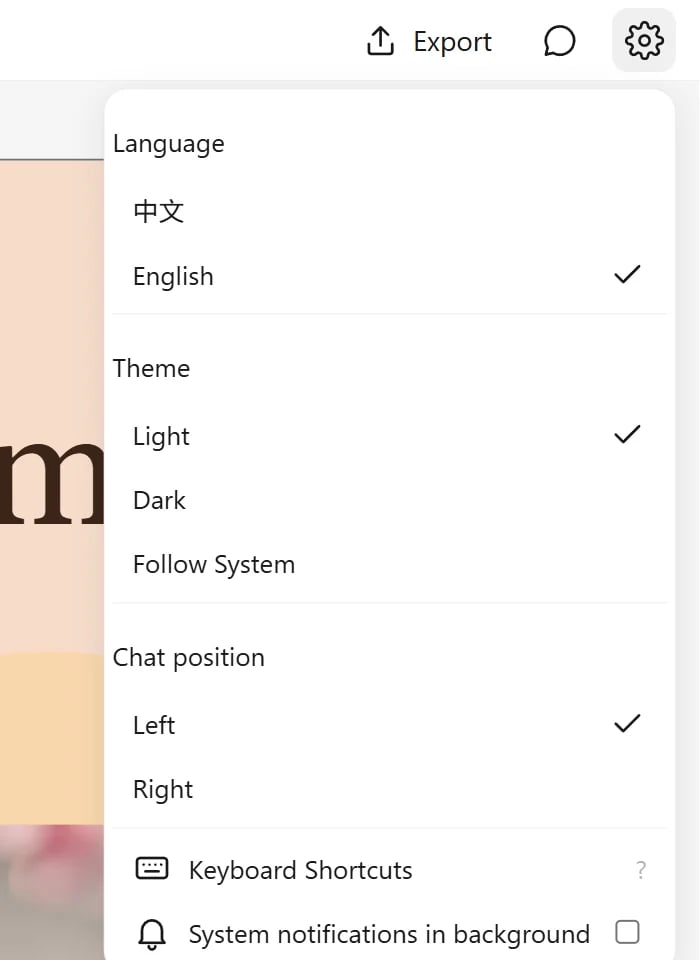 | Setting | Options |
| - | - |
| Language | 中文 or English, switched instantly |
| Theme | Light, Dark or Follow System |
| Chat position | Agent panel on the left or the right |
| Keyboard Shortcuts | the full shortcut list (also on `?`) |
| System notifications in background | a browser notification when a task finishes while the tab is hidden |
This documentation is built and hosted on [Mintlify](https://mintlify.com), a developer documentation platform.
| Setting | Options |
| - | - |
| Language | 中文 or English, switched instantly |
| Theme | Light, Dark or Follow System |
| Chat position | Agent panel on the left or the right |
| Keyboard Shortcuts | the full shortcut list (also on `?`) |
| System notifications in background | a browser notification when a task finishes while the tab is hidden |
This documentation is built and hosted on [Mintlify](https://mintlify.com), a developer documentation platform.