> ## Documentation Index
> Fetch the complete documentation index at: https://comfyart.org/llms.txt
> Use this file to discover all available pages before exploring further.
# Generate
> Image and video generators with references, color palettes, base images and storyboards.
A generator is a card on the canvas with a prompt box under it. Click **Image Generation** in the bottom bar (or switch it to video generation) to add one. Results land on the canvas next to the card; the card shows a progress ring while ComfyUI works.
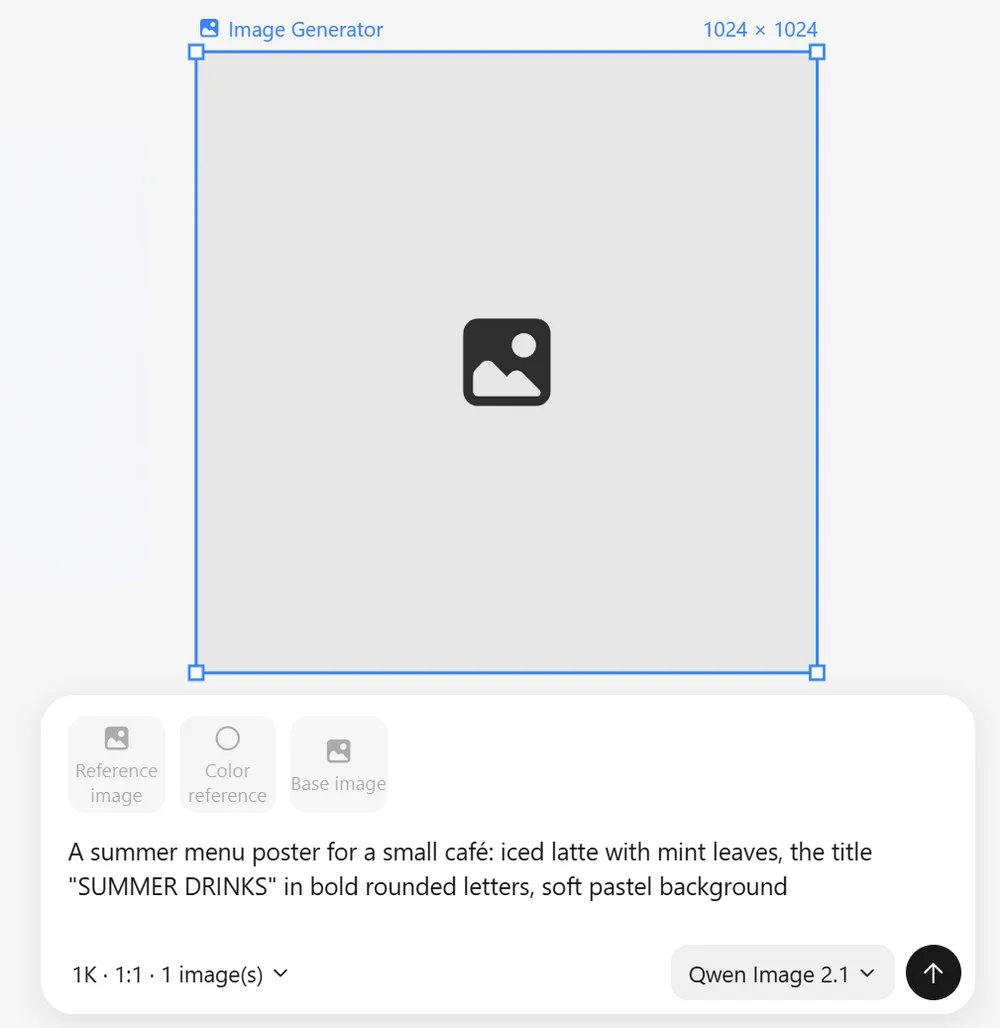 ## Image options
| Option | Values |
| - | - |
| Size | 1K, 2K or custom width and height |
| Ratio | 1:1, 3:2, 2:3, 4:3, 3:4, 16:9, 9:16, 4:5, 5:4, 21:9 |
| Count | up to 4 images per run |
| Quality | turbo, standard, high quality |
| Style | style presets added to the prompt |
| Background | transparent background |
Put text that should appear in the image in quotes. Qwen Image 2.1 renders both Chinese and English text well.
## Models
## Image options
| Option | Values |
| - | - |
| Size | 1K, 2K or custom width and height |
| Ratio | 1:1, 3:2, 2:3, 4:3, 3:4, 16:9, 9:16, 4:5, 5:4, 21:9 |
| Count | up to 4 images per run |
| Quality | turbo, standard, high quality |
| Style | style presets added to the prompt |
| Background | transparent background |
Put text that should appear in the image in quotes. Qwen Image 2.1 renders both Chinese and English text well.
## Models
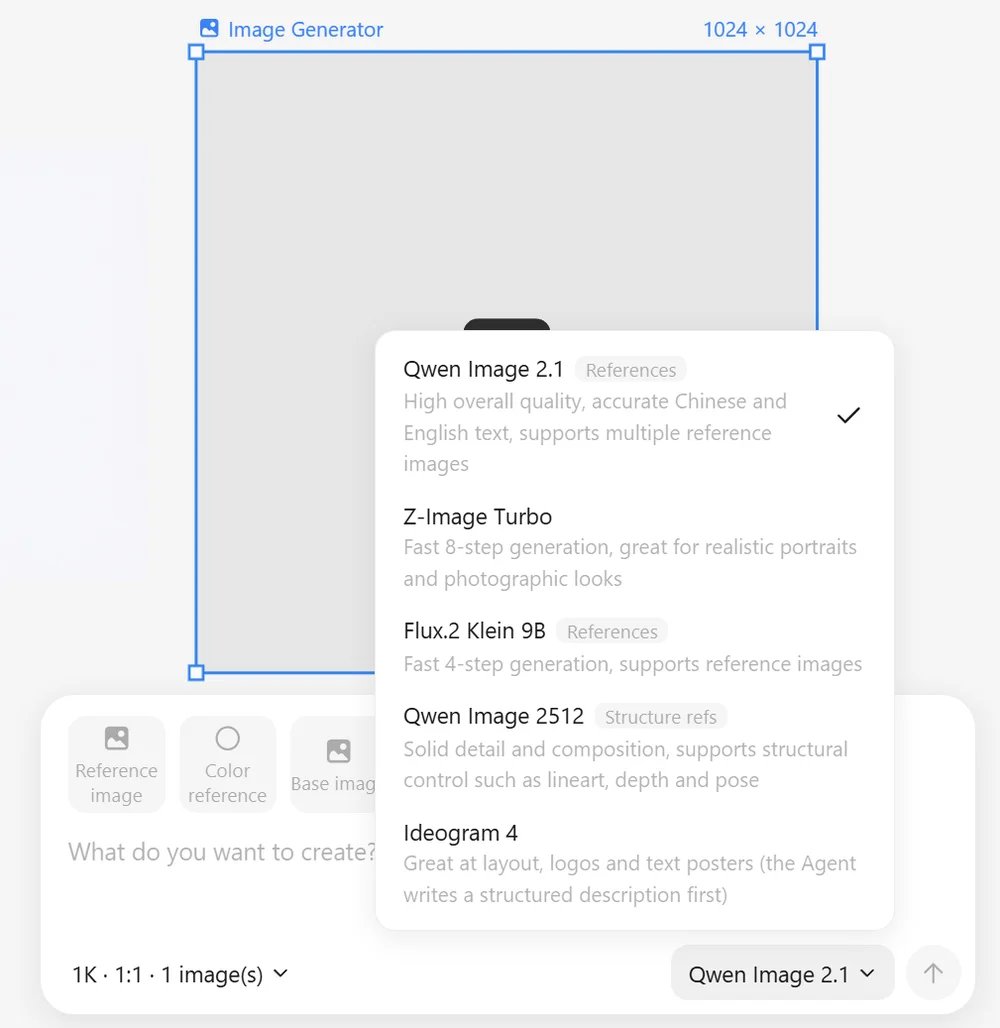 The model picker lists the installed image models and tags the ones that accept references. See [Models](/guides/models) for files.
| Model | Good for | References |
| - | - | - |
| Qwen Image 2.1 | overall quality, accurate Chinese and English text | yes, several images |
| Z-Image Turbo | fast 8-step generation, realistic portraits and photos | no |
| Flux.2 Klein 9B | fast 4-step generation | yes |
| Qwen Image 2512 | solid detail and composition | structure modes only (line art, depth, pose, …) |
| Ideogram 4 | layout, logos and text posters | no |
## References
Click **Reference image** (or select images on the canvas) to attach up to four references. Each reference has a mode:
* **Content, style, composition**: what the result should follow.
* **Structure modes**: line art, MLSD, scribble, soft edge, depth, normal, pose, segmentation, tile, recolor and more. ComfyArt runs the matching preprocessor first. On Qwen Image 2512 they drive a real ControlNet with a strength slider.
References are numbered ("image 1", "image 2") in the order they are used. If the selected model does not accept references, or not that mode, the chip is greyed out with the reason and generation still runs without it.
## Color reference
**Color reference** adds a palette. The colors are named in the prompt, and on models that accept references a small color-swatch image is attached as well, so the result picks up the palette without copying any layout. Hover a color and click × to remove it.
## Base image
**Base image** turns generation into image-to-image: pick an image on the canvas and set how much the result may change (0–100).
## Video generation
Switch the generator to video for text-to-video or image-to-video with MiniMax H3:
* Ratios 16:9, 9:16, 1:1, 4:3, 3:4, 21:9 and a duration of 5 or 10 seconds.
* A first frame and an optional last frame.
* Camera motion presets.
* **Storyboard**: split one idea into up to 6 scenes (30 seconds in total) and generate them as a sequence. Smart storyboard lets the Agent write the scenes.
More in [Video](/guides/video).
This documentation is built and hosted on [Mintlify](https://mintlify.com), a developer documentation platform.
The model picker lists the installed image models and tags the ones that accept references. See [Models](/guides/models) for files.
| Model | Good for | References |
| - | - | - |
| Qwen Image 2.1 | overall quality, accurate Chinese and English text | yes, several images |
| Z-Image Turbo | fast 8-step generation, realistic portraits and photos | no |
| Flux.2 Klein 9B | fast 4-step generation | yes |
| Qwen Image 2512 | solid detail and composition | structure modes only (line art, depth, pose, …) |
| Ideogram 4 | layout, logos and text posters | no |
## References
Click **Reference image** (or select images on the canvas) to attach up to four references. Each reference has a mode:
* **Content, style, composition**: what the result should follow.
* **Structure modes**: line art, MLSD, scribble, soft edge, depth, normal, pose, segmentation, tile, recolor and more. ComfyArt runs the matching preprocessor first. On Qwen Image 2512 they drive a real ControlNet with a strength slider.
References are numbered ("image 1", "image 2") in the order they are used. If the selected model does not accept references, or not that mode, the chip is greyed out with the reason and generation still runs without it.
## Color reference
**Color reference** adds a palette. The colors are named in the prompt, and on models that accept references a small color-swatch image is attached as well, so the result picks up the palette without copying any layout. Hover a color and click × to remove it.
## Base image
**Base image** turns generation into image-to-image: pick an image on the canvas and set how much the result may change (0–100).
## Video generation
Switch the generator to video for text-to-video or image-to-video with MiniMax H3:
* Ratios 16:9, 9:16, 1:1, 4:3, 3:4, 21:9 and a duration of 5 or 10 seconds.
* A first frame and an optional last frame.
* Camera motion presets.
* **Storyboard**: split one idea into up to 6 scenes (30 seconds in total) and generate them as a sequence. Smart storyboard lets the Agent write the scenes.
More in [Video](/guides/video).
This documentation is built and hosted on [Mintlify](https://mintlify.com), a developer documentation platform.