> ## Documentation Index
> Fetch the complete documentation index at: https://comfyart.org/llms.txt
> Use this file to discover all available pages before exploring further.
# Audio and 3D
> Generate music, voiceovers and sound effects, and turn an image into a 3D model.
## Audio generation
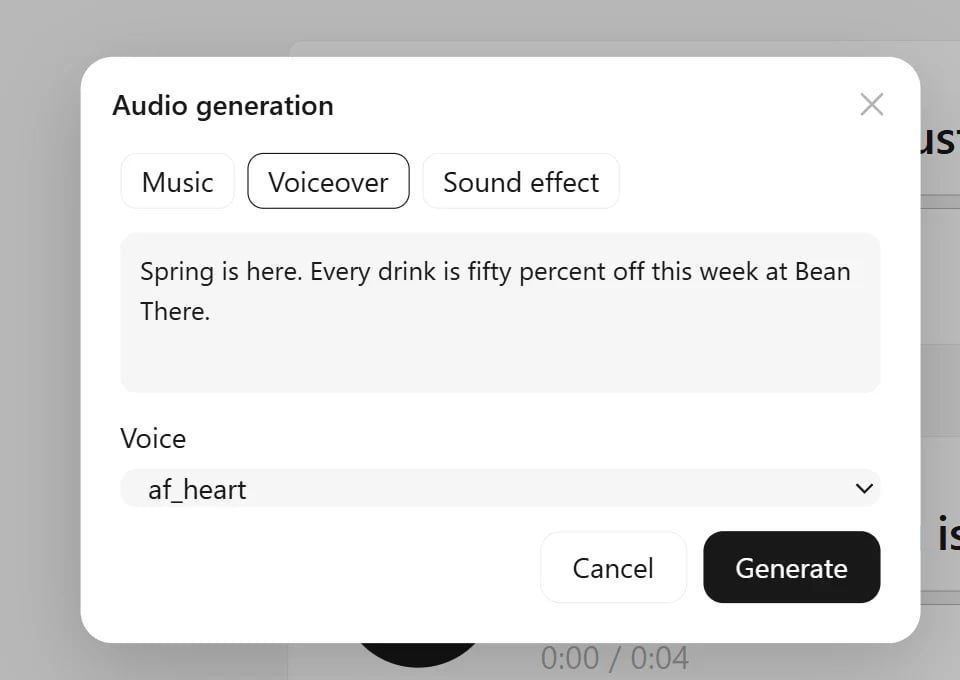
Open the generate menu in the bottom bar (the arrow next to **Image Generation**) and choose **Audio generation**.
 | Tab | What you give it | Model |
| - | - | - |
| **Music** | style tags (genre, mood, instruments, tempo), optional lyrics with `[verse]` / `[chorus]` lines, and a length of 15, 30, 60 or 120 seconds | ACE-Step |
| **Voiceover** | the text to read and a voice: Chinese, American, British or Japanese, female or male. With an audio clip selected on the canvas, the voice list also offers **Clone the selected audio's voice** | Kokoro, IndexTTS-2 for cloning |
| **Sound effect** | a short description, up to 47 seconds | Stable Audio Open |
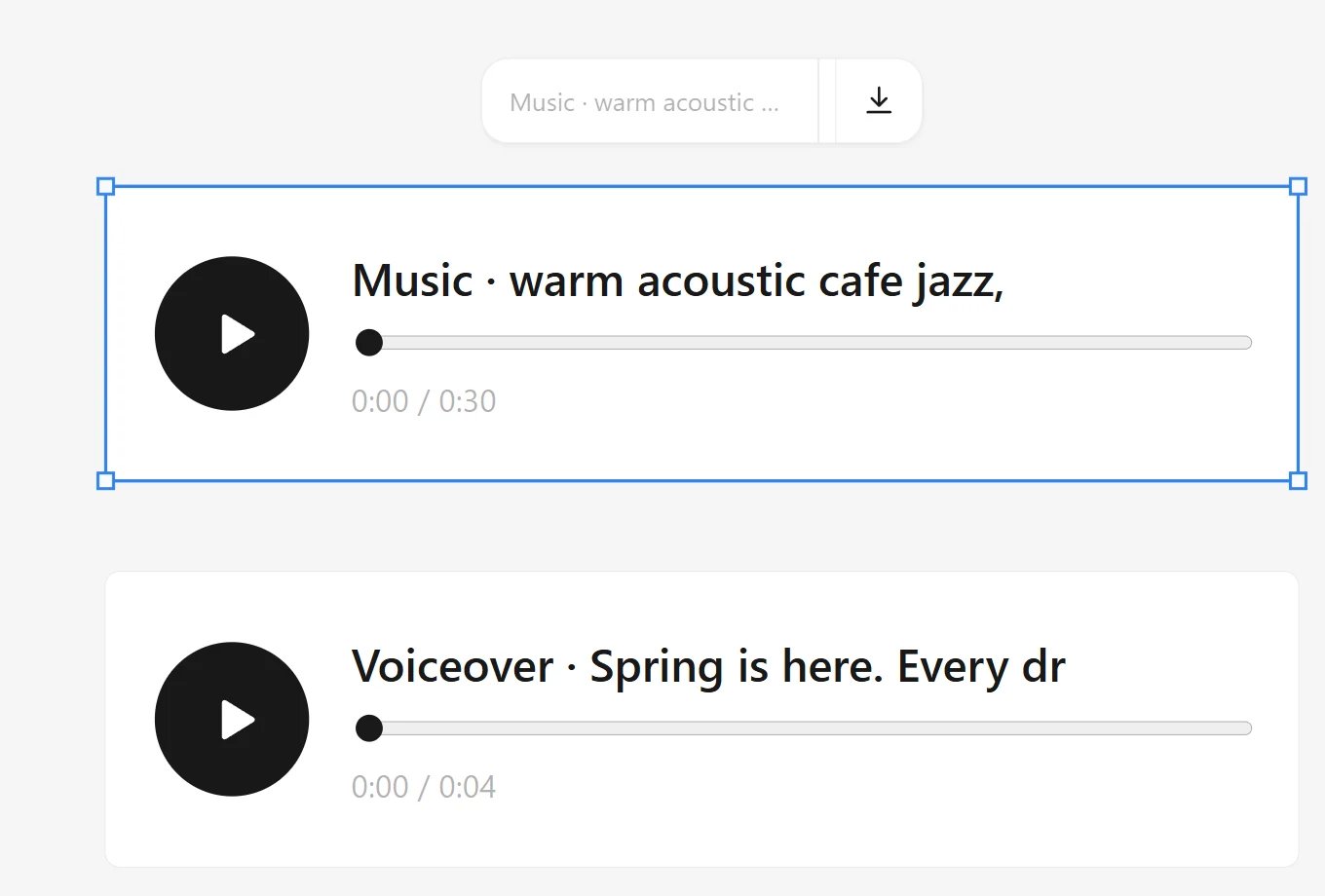
Each result is an audio card on the canvas with a play button, a seek bar and its length. Audio files you drop on the canvas become the same cards, and the Agent can make music, voiceovers and sound effects too.
| Tab | What you give it | Model |
| - | - | - |
| **Music** | style tags (genre, mood, instruments, tempo), optional lyrics with `[verse]` / `[chorus]` lines, and a length of 15, 30, 60 or 120 seconds | ACE-Step |
| **Voiceover** | the text to read and a voice: Chinese, American, British or Japanese, female or male. With an audio clip selected on the canvas, the voice list also offers **Clone the selected audio's voice** | Kokoro, IndexTTS-2 for cloning |
| **Sound effect** | a short description, up to 47 seconds | Stable Audio Open |
Each result is an audio card on the canvas with a play button, a seek bar and its length. Audio files you drop on the canvas become the same cards, and the Agent can make music, voiceovers and sound effects too.
 ## Image to 3D
Select an image of a single object, ideally on a plain background, and choose **Image to 3D** under **⋯**. ComfyUI cuts out the object, builds a textured mesh with TRELLIS.2, cleans and simplifies it, and saves a GLB file. The model is placed next to the image.
## Image to 3D
Select an image of a single object, ideally on a plain background, and choose **Image to 3D** under **⋯**. ComfyUI cuts out the object, builds a textured mesh with TRELLIS.2, cleans and simplifies it, and saves a GLB file. The model is placed next to the image.
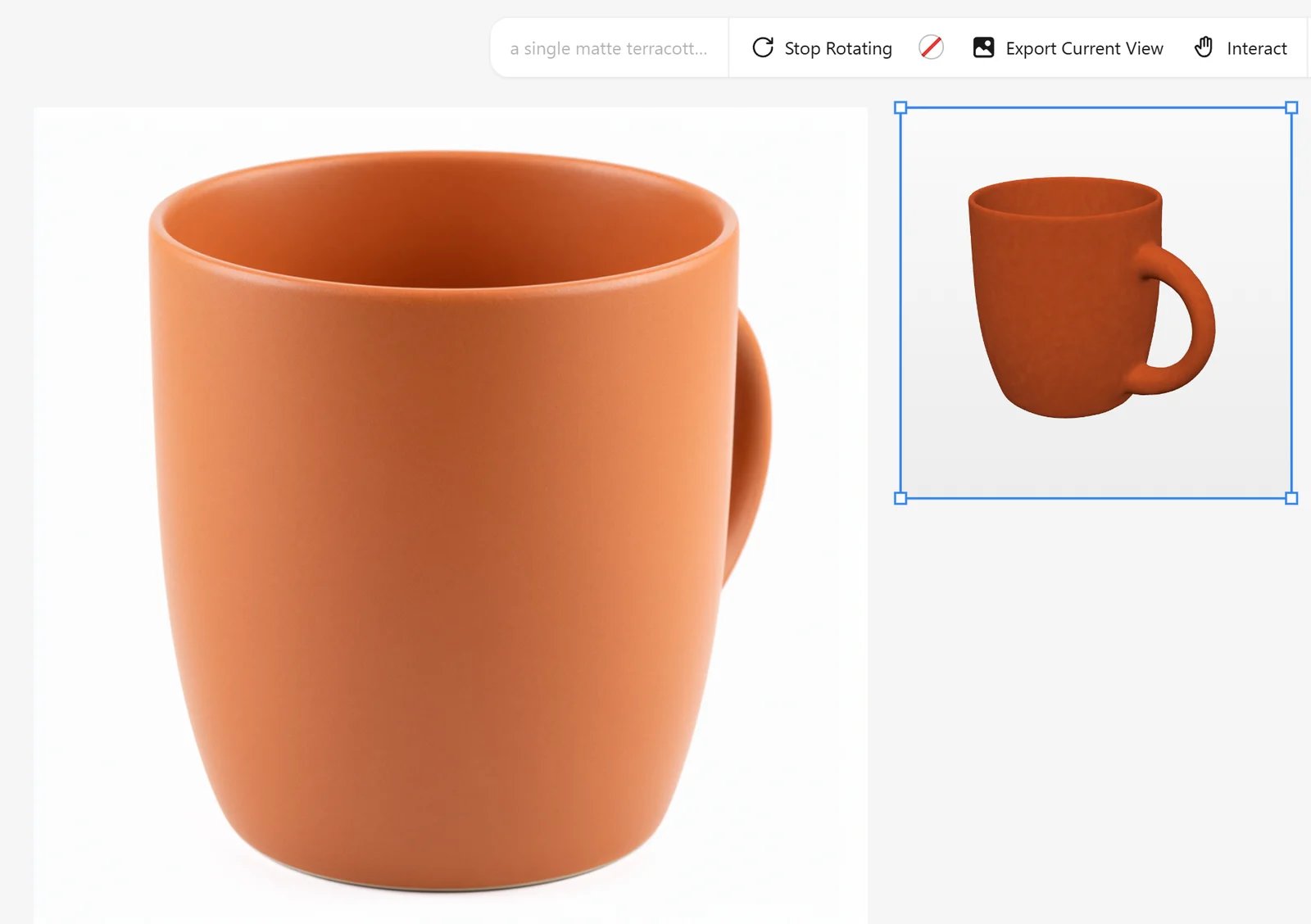 The 3D card turns slowly by itself. Its toolbar can stop the rotation, set a background color, **Export Current View** as an image you can keep designing with, switch to **Interact** to orbit and zoom with the mouse, and download the GLB. 3D files you upload (GLB, GLTF, OBJ, FBX, STL, PLY) get the same card.
Generating a model takes a few minutes. See [Models](/guides/models#audio-and-3d) for the files.
This documentation is built and hosted on [Mintlify](https://mintlify.com), a developer documentation platform.
The 3D card turns slowly by itself. Its toolbar can stop the rotation, set a background color, **Export Current View** as an image you can keep designing with, switch to **Interact** to orbit and zoom with the mouse, and download the GLB. 3D files you upload (GLB, GLTF, OBJ, FBX, STL, PLY) get the same card.
Generating a model takes a few minutes. See [Models](/guides/models#audio-and-3d) for the files.
This documentation is built and hosted on [Mintlify](https://mintlify.com), a developer documentation platform.